Things to consider.
> You can trigger only workflow from workflow Composition.
> Workflow which we want to trigger from action step or workflow composition must be On-Demand Workflow, No background or child workflow will work here

>You cannot Copy,Cut and Paste Workflow step.
> There is no specific Max Limit of workflow which can be called from BPF.
> I tried adding 50 workflow and it all got triggered.
Now you know what things to consider while creating an workflow, let kick workflow in our BPF.
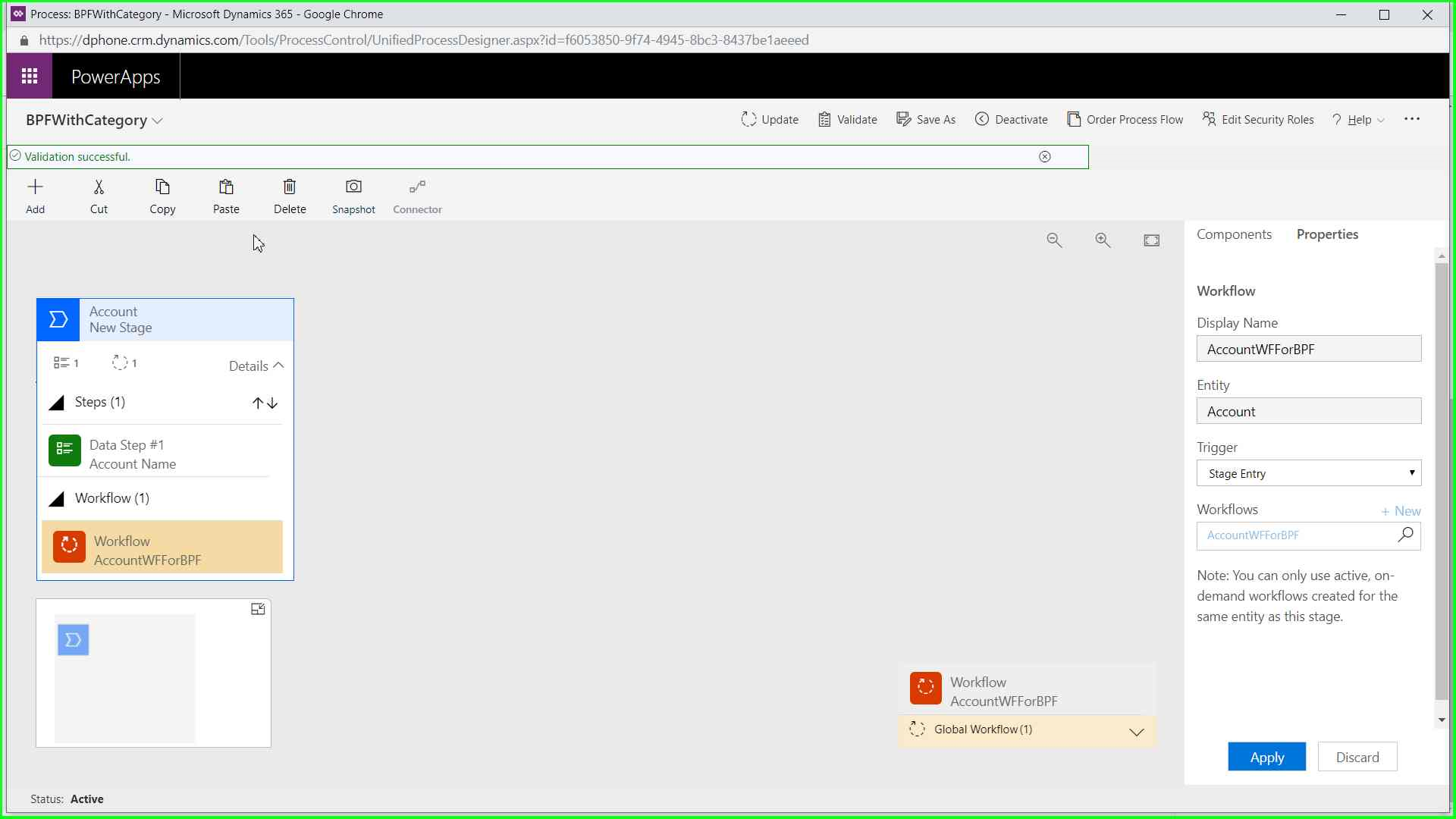
We have 2 place to add workflow and each has set of trigger points which will call workflow
Place to add Workflow
Within each Stage.
Trigger Points
—- Stage Entry
—– Stage Exit
Global Workflow collection
Trigger Points
—- Process Applied
—- Process Reactivated
—- Process Abandoned
—- Process Completed
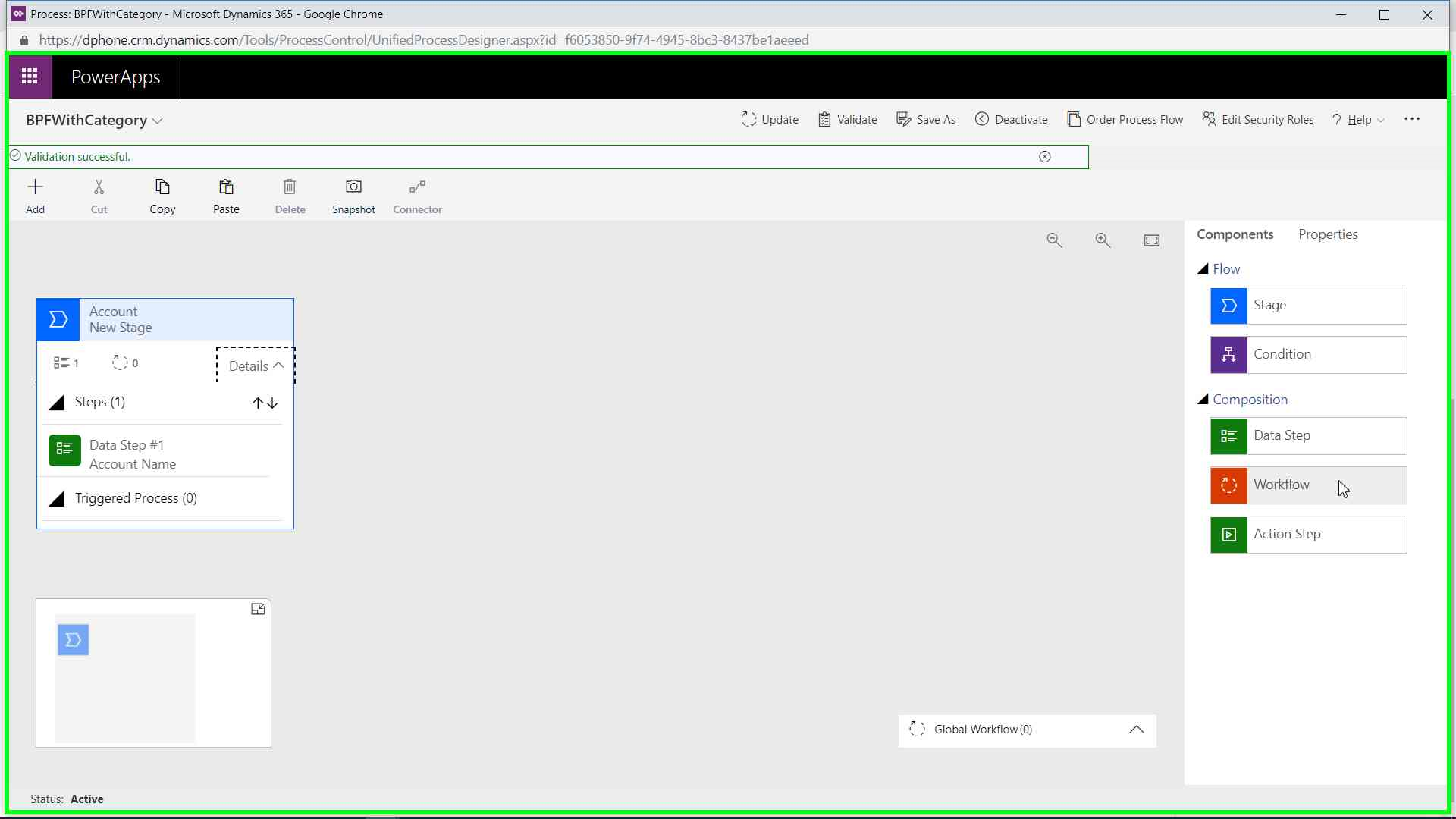
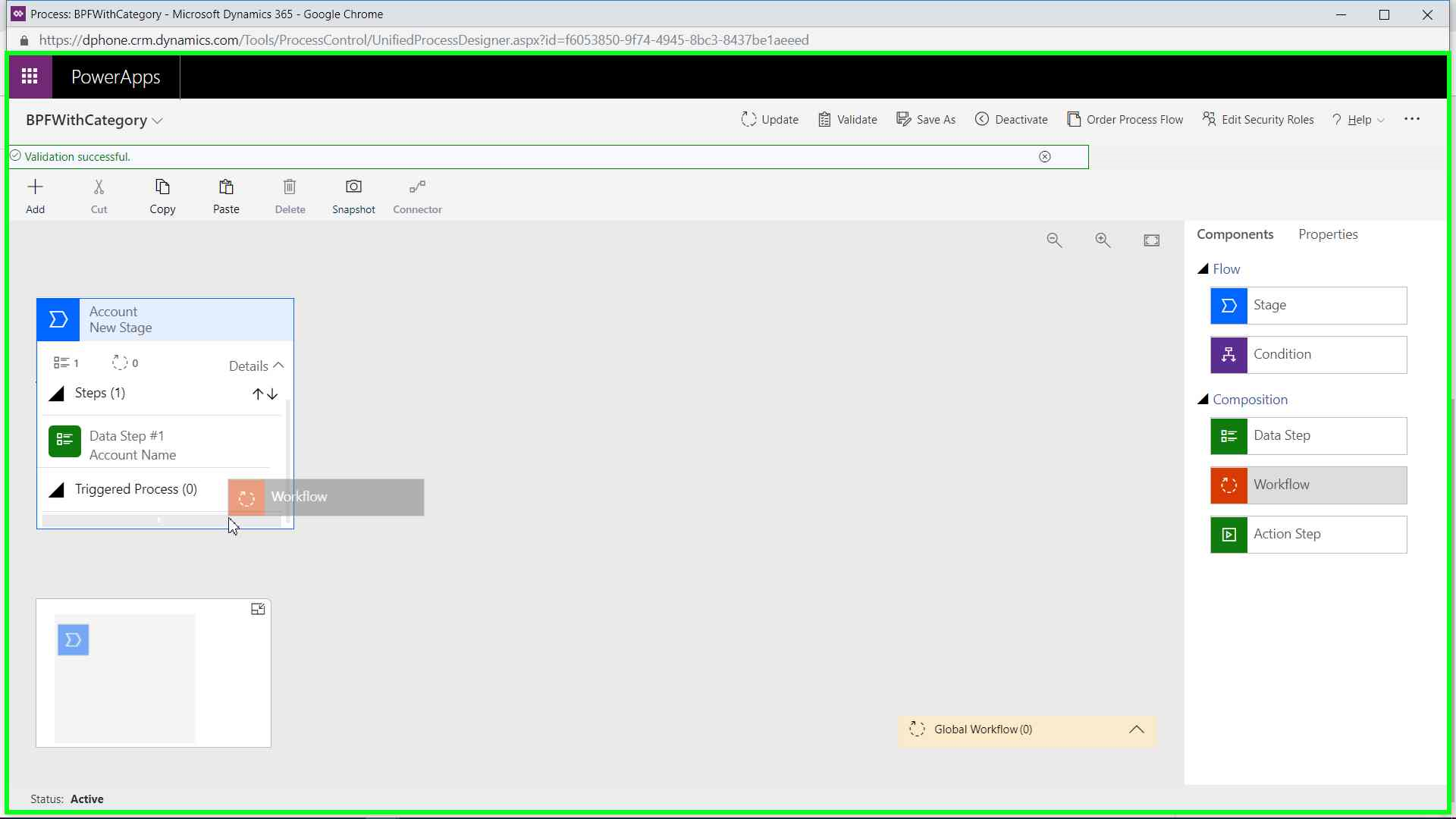

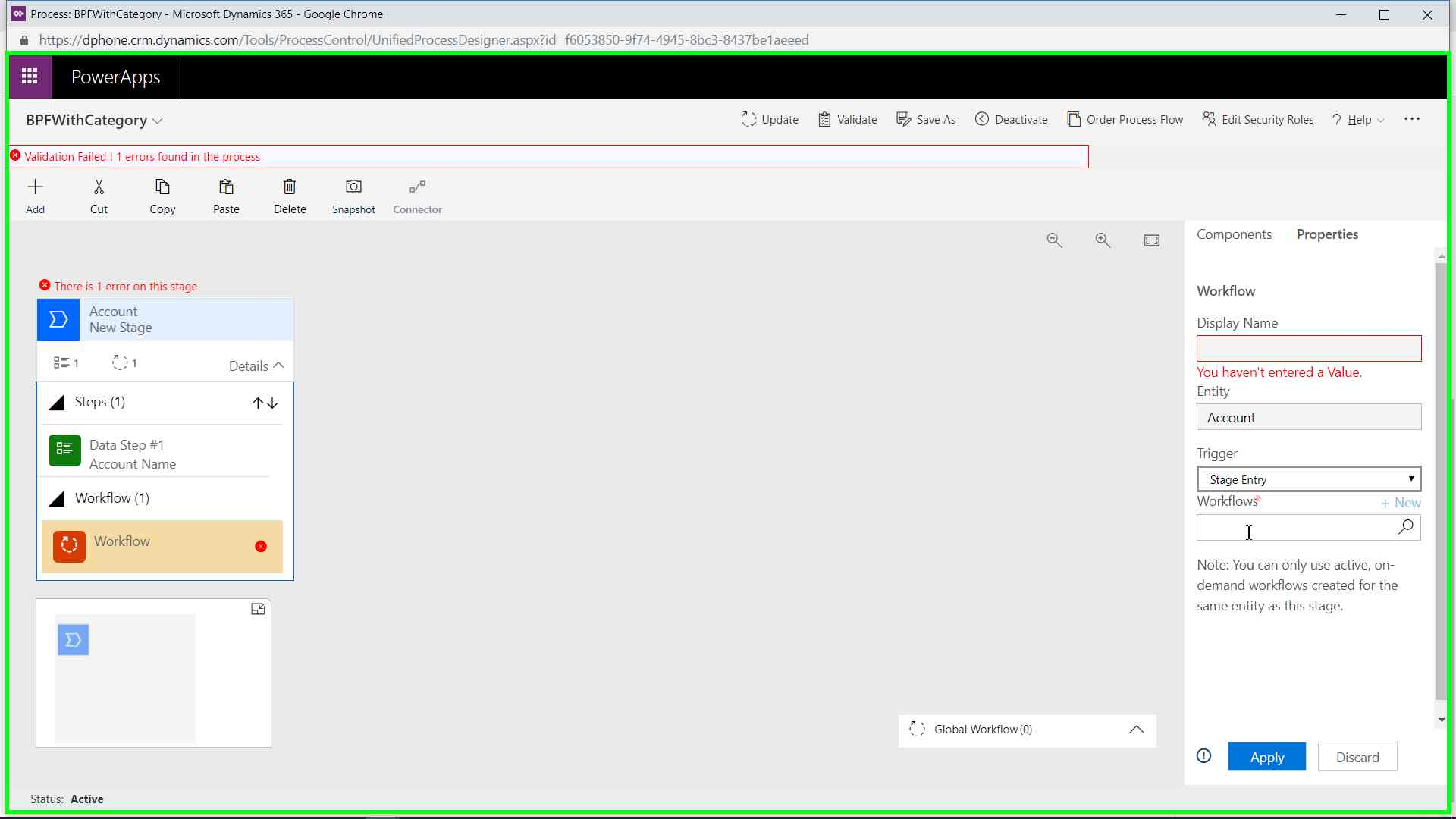

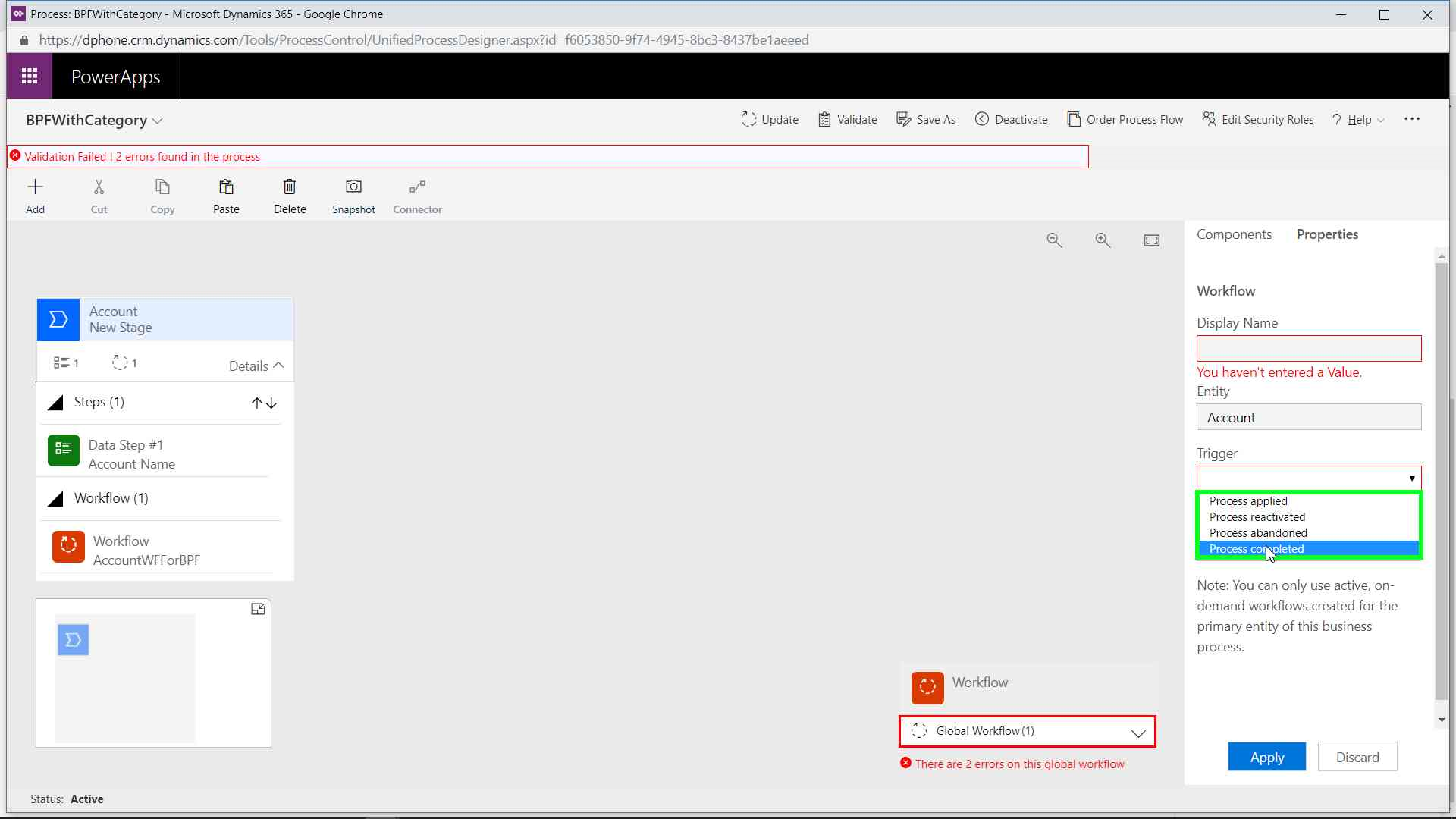
Global workflow are used to do some Entity level task.

Select Workflow, this list will be filtered and displays only those Workflow which are activate, On-Demand and Workflow entity is same as stage entity
Important Points
> Business Process Flow is not like Action/Workflow,
> You don’t have to deactivate and make changes to process and re-Activated it again.
> In BPF, You can make changes even the BPF is activated and then just update the changes and it will be Reflected on the form.


Useful blog!! thanks Friyank
LikeLike