Please read part 1 for better understanding.
Lets Demo for Account Entity,
We will activate start reading auditing at Global audit setting @Organization level

Activate Single and multiple record auditing @entity level

Add Any Attribute or make some changes in Account entity and Publish the customization
I am adding new field and publishing the customization.

So publish message event must be logged in.
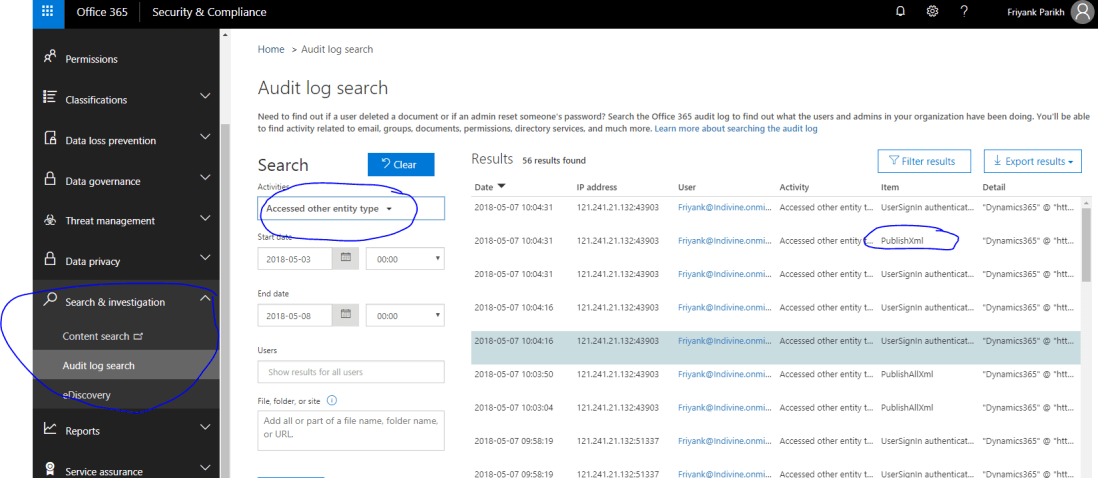
Let’s Check in Office 365 > Security & compliance App
Log in to https://protection.office.com/#/homepage
Go to Search and investigation > Audit Log Search and in Search Activities.
Search for Access Other Entity Type.
You can see the following records fetched and notice publish XML is tracked.
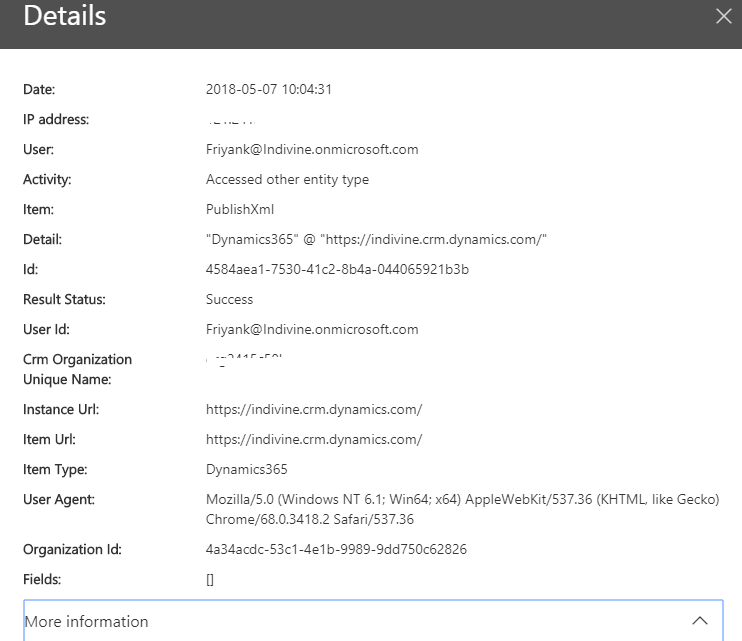
Details information of logged can be viewed clicking on record.
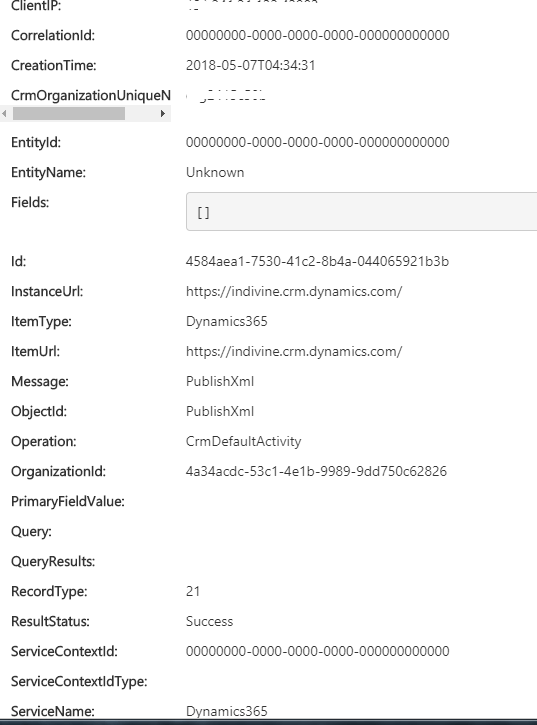
You can see more information about message, Entity Client IP etc by clicking more information on Details view .


Hello, i believe that i saw you visited my web site so i came to return the prefer?.I’m trying to find issues to enhance my web site!I suppose its good enough to make use of a few of your concepts!!
LikeLike