Simple Steps to get GUID of current record.
Create a bookmark on any browser.
I choose to use Google Chrome.
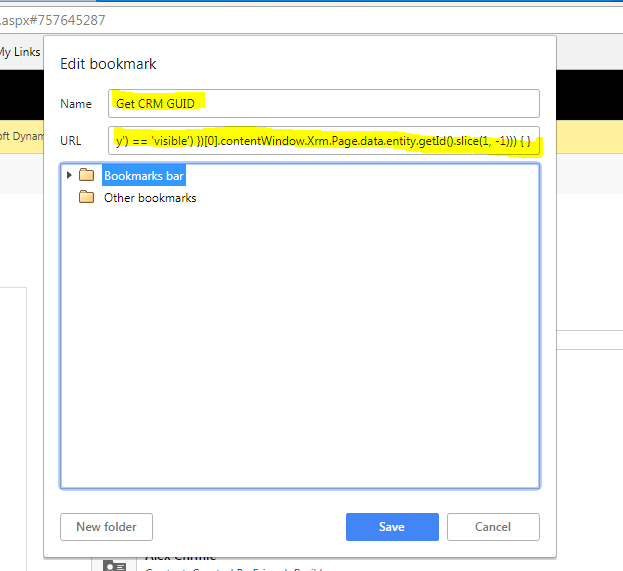
In Name Add any friendly name you want.
“Get CRM GUID”
and In URL add Following Javascript Code.
javascript: if (window.prompt(“Here, copy this:”, $(“iframe”).filter(function () { return ($(this).css(‘visibility’) == ‘visible’) })[0].contentWindow.Xrm.Page.data.entity.getId().slice(1, -1))) { }
Save the Bookmark.
Now login to CRM (Online/On Premise).
Open Record in CRM, Not View, Open any created record in CRM.
I choose to open my custom entity (Insurance Quote Record.)
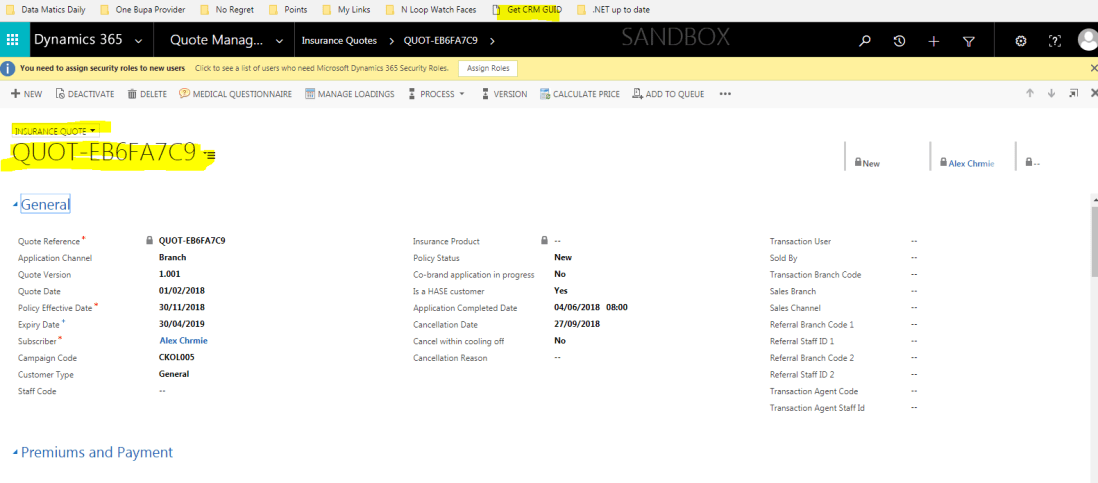
Click the bookmark we just saved.
This will open conform box with GUID in it.

You can copy it and use it.
Get ride of using URL to get record GUID.
Thanks
Hope it helps

 The Tech Burst