Open Activities Tab properties

Older version of CRM have Following option in Activities Tab properties

In D365 V 9.0, We have Additional Setting for Unified interface Properties
Options for Unified Interface
1. Label Name

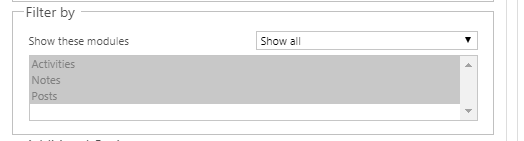
2. Filter by – To filter what to be viewed on activity timeline.
Either view all, or one of Activities/Notes/Posts.
3. Additional Options
Options to define default view, either Notes or Post.
Sorting option
Order by options and So.
Activities Tab
This Tab is visible only if activities is selected in Filter type.
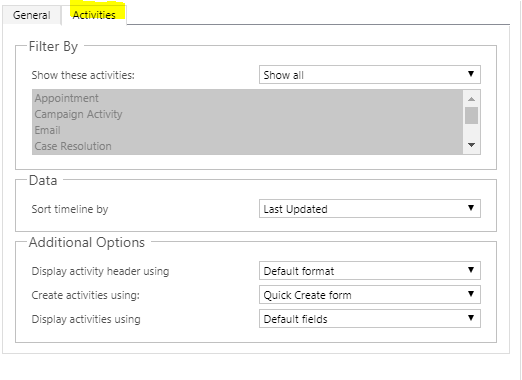
Filters which Activities should be visible and which should not.
Sorting options
Which form will be used to create activities, Main or quick Create.

 The Tech Burst
I really like reading an article that can make men and
women think. Also, thank you for permitting me to comment!
LikeLike