There is an option to create Announcement in Dynamics 365 and this helps to broadcast News or some important updates, apart from post and activity.
User create Announcement easily from Settings > Administration > Announcement > new > Input data and Save and close.
Its done but now how my others user will come to know what is the announcement.
That is a trick.
On Online instance we dont have any default location like workplace in On-premise where you can view all announcement.
So to view Announcement in Online instance, you have to follow following steps
- Create one html file in your own text editor with following Html and Name
Html Content
<html>
<body>
window.location.href=”/home/homepage/home_news.aspx?pagemode=iframe”;
</body>
</html>
File Name Should be : announcementsondashboard.htm - Now go to CRM instance and add new Web resources. How to add web resources , this web resources must have file uploaded you just created
- Name the File as ‘announcements’
- Display Name as ‘Announcements’
- Save and publish. This is not end
- Now you can view this web resources anywhere you want.
I happen to choose Dashboard and in that added this web resources.
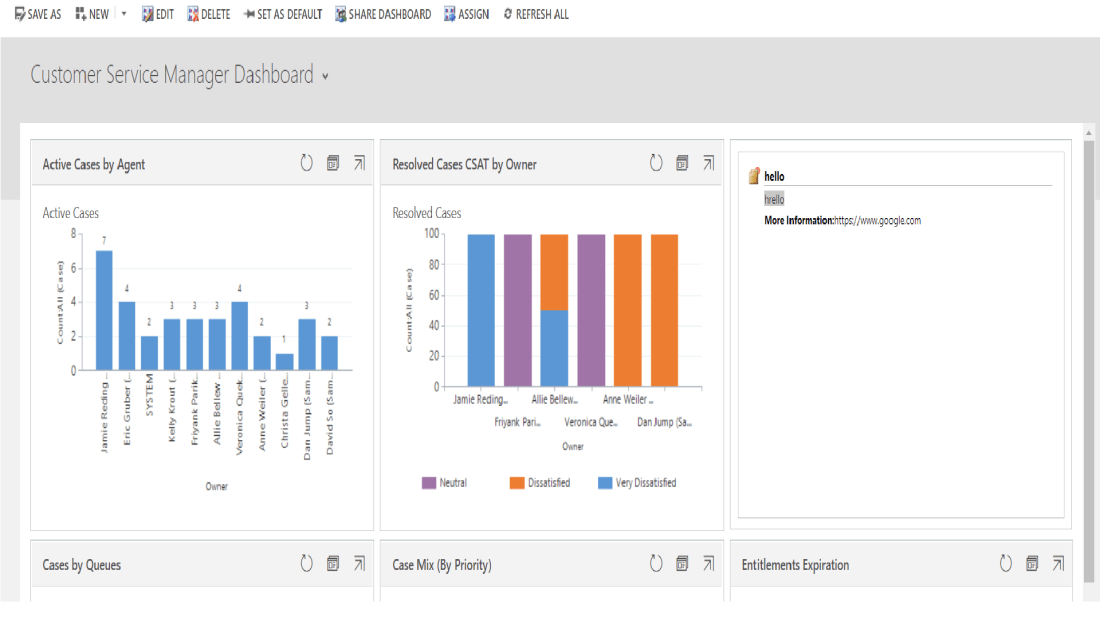
Now all user who has access to this web resources can see all announcements
Note : Html Content, Html File Name, Web resources Name is important to Map announcement of organization.

 The Tech Burst