Step 1 :
Create Entity with business process enabled and
add some fields to use in Business process stages.
Note : Each Stage must have at least one field in it.
Screen Shot : Adding Entity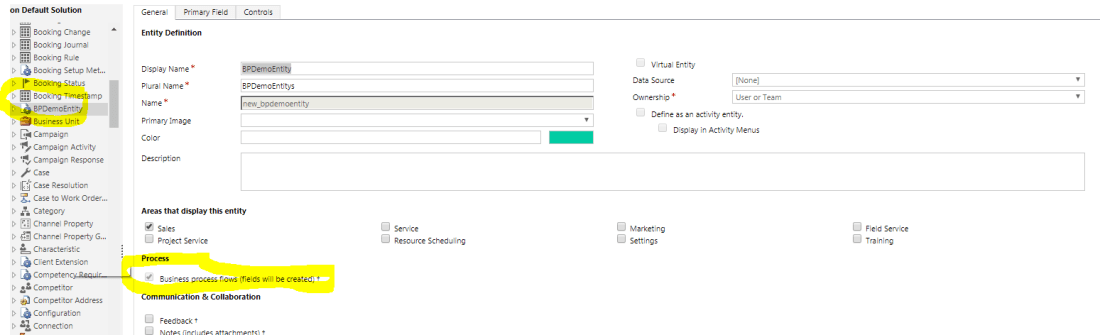
Screen Shot : Adding Fields

Step 2 :
Screen Shot : Create business Process flow for same Entity with fields created above
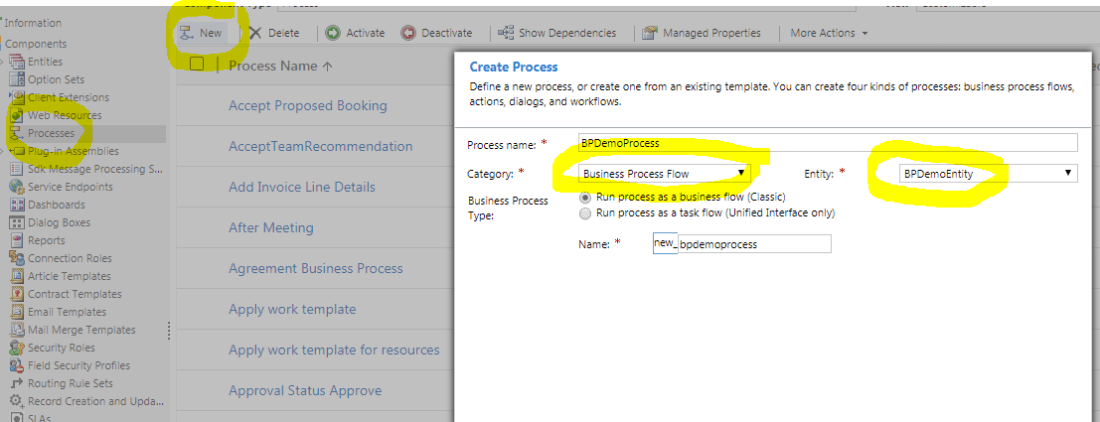
Screen Shot : Add Stages > Steps and data Field


Screen Shot : Save, Validate and Activate Process Flow
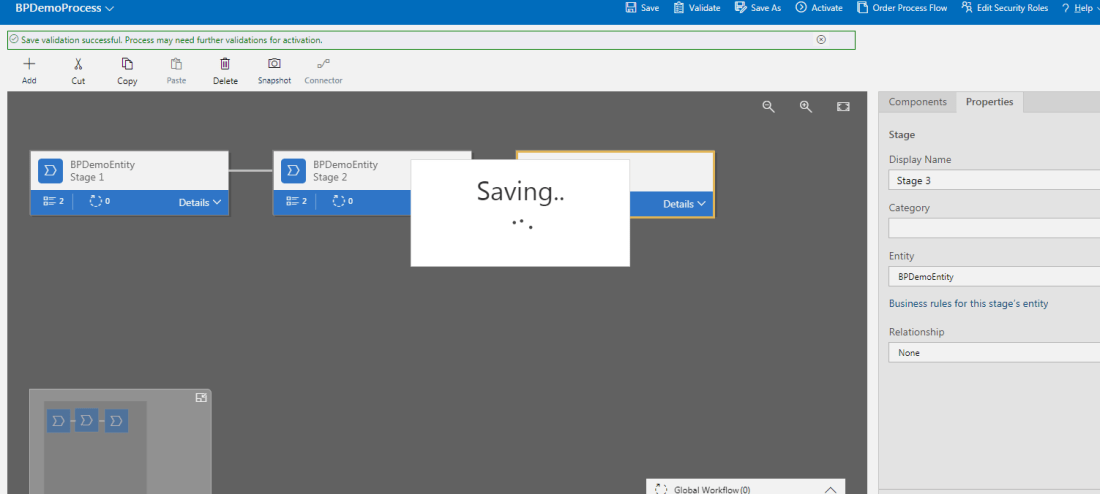
Screen Shot: Publish All Changes of Entity and Business process flow

Step 3 : Create few Records for same Entity
Screen Shot : Record 1
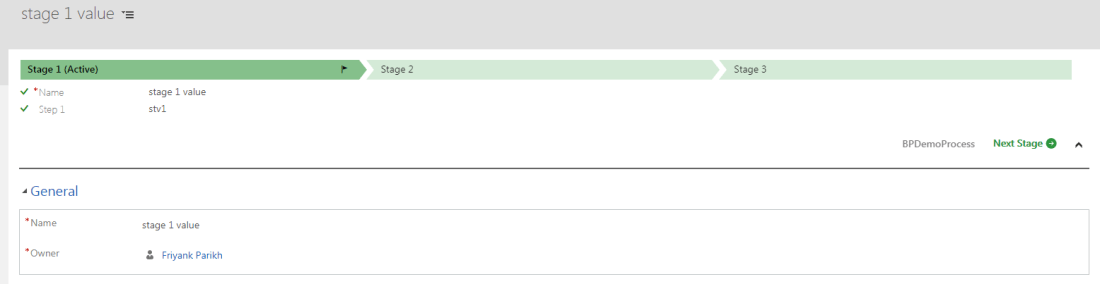
Screen Shot : Record 2
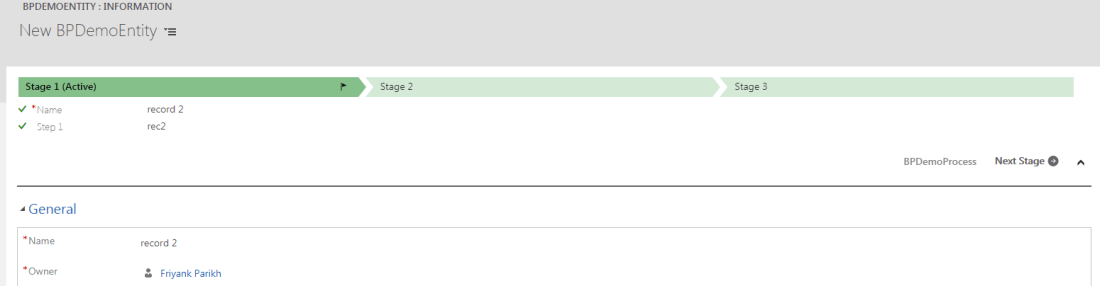
Important Things to note here is
Every business process create an entity
And this Entity is the place where records are saved
So when you use business process for any entity.
Records are save at two location
- In Main Entity Table
- Business process flow Entity Table (Created when you create business process flow)
To check those Record Created
Go to Advance Find and in ‘look for’ Lookup you will find the entity with same name as of your business process.
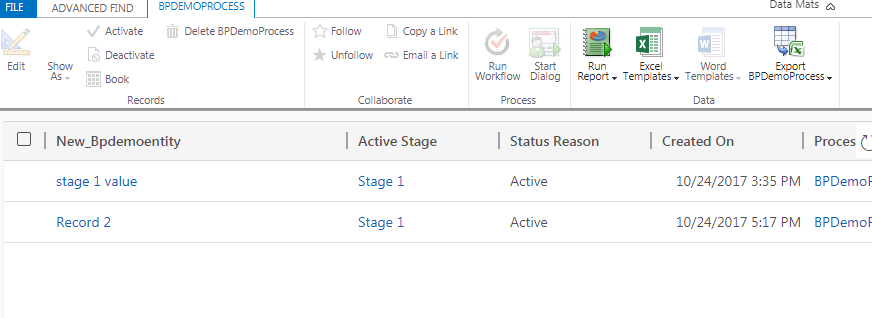
Select this Entity and Get the Result , you will find the records created in BPDemoEntity
Step 4 : Let’s just get rid of business process flow for this Entity , Client May Ask.
To do So, just Deactivate the process you just created
Screen Shot : Deactivate Business process flow.

Screen Shot : Create new record after business process deactivated

Screen shot : Open Existing Record after Business process is Deactivated

Note : when you create new record , Business process is not there for same Entity but if you open an existing record , you can still see the record having business process flow.
That’s a strange behaviour.
So how to get rid of those records as well, as client requested to delete business process flow.
We have to do something which will keep the records as it is. But will remove that business process attached to it.
Advance Find is the solution for this strange behaviour
Go to Advance find and look for the entity with same name of business process.
Now get the result , you will find records which are created while business process was active
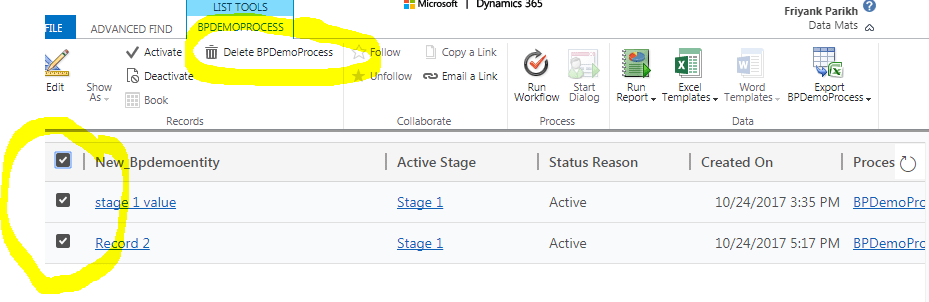
Step 5 : Select those Record and click Delete BPDemoProcess
Don’t worry! This will not delete actual record. Only Business process record will be delete.
Now go to Entity and open existing record
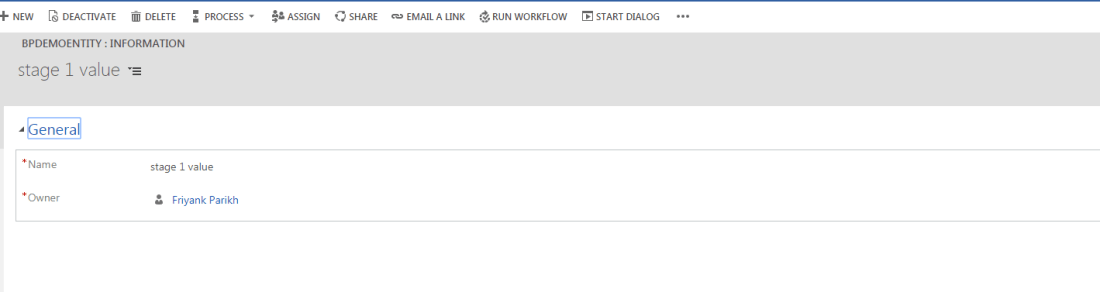
And Boom ! Business process Records are gone and actual record is in system.
Regards,
Friyank Parikh.

 The Tech Burst