Install Libraries via Nuget :
Install-Package Microsoft.CrmSdk.CoreAssemblies
Install-Package Microsoft.CrmSdk.XrmTooling.CoreAssembly
static void Main(string[] args)
 {
 CrmServiceClient crmServiceClientObj = new CrmServiceClient(ConfigurationManager.ConnectionStrings["CrmOnlineStringFromAppConfig"].ConnectionString);
 if (!crmServiceClientObj .IsReady)
 Console.WriteLine("No Connection was Made.");
 Console.WriteLine("Connected");

}
now only thing here to think of is what will be the value of key CrmOnlineStringFromAppConfig in app.config
how to get all the three properties of Connection string
- Url :
- Login to CRM online instance
- go to setting > customization
- Click Developer Resources
- you will see connect your app to this instance section and in that instance web api is what you should use to connect to CRM instance
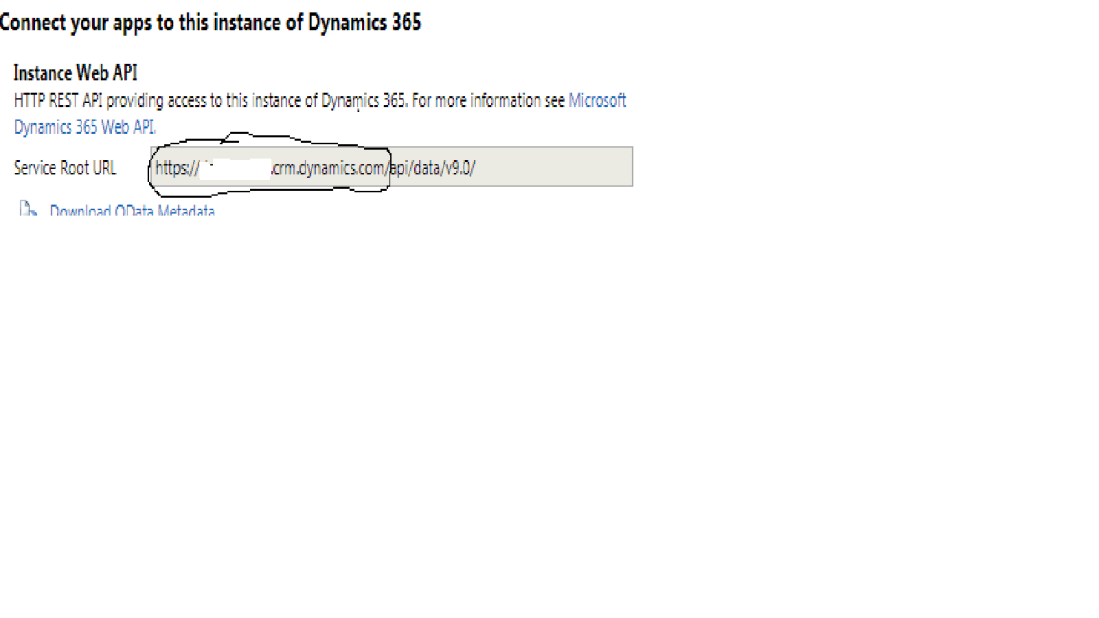
- Take this Url and fill your first property of CRM connection string
- Other two properties are User id is ur email id and password you just used to login in CRM online instance.
Hope this help to get started.
Explore methods of crmServiceClientObj object
Thank you.
Regards,
Friyank Parikh.

 The Tech Burst
I’m really enjoying the design and layout of your blog.
It’s a very easy on the eyes which makes it much more enjoyable for me to come here and visit more
often. Did you hire out a developer to create your
theme? Great work! http://www.wildlocavore.com
LikeLike